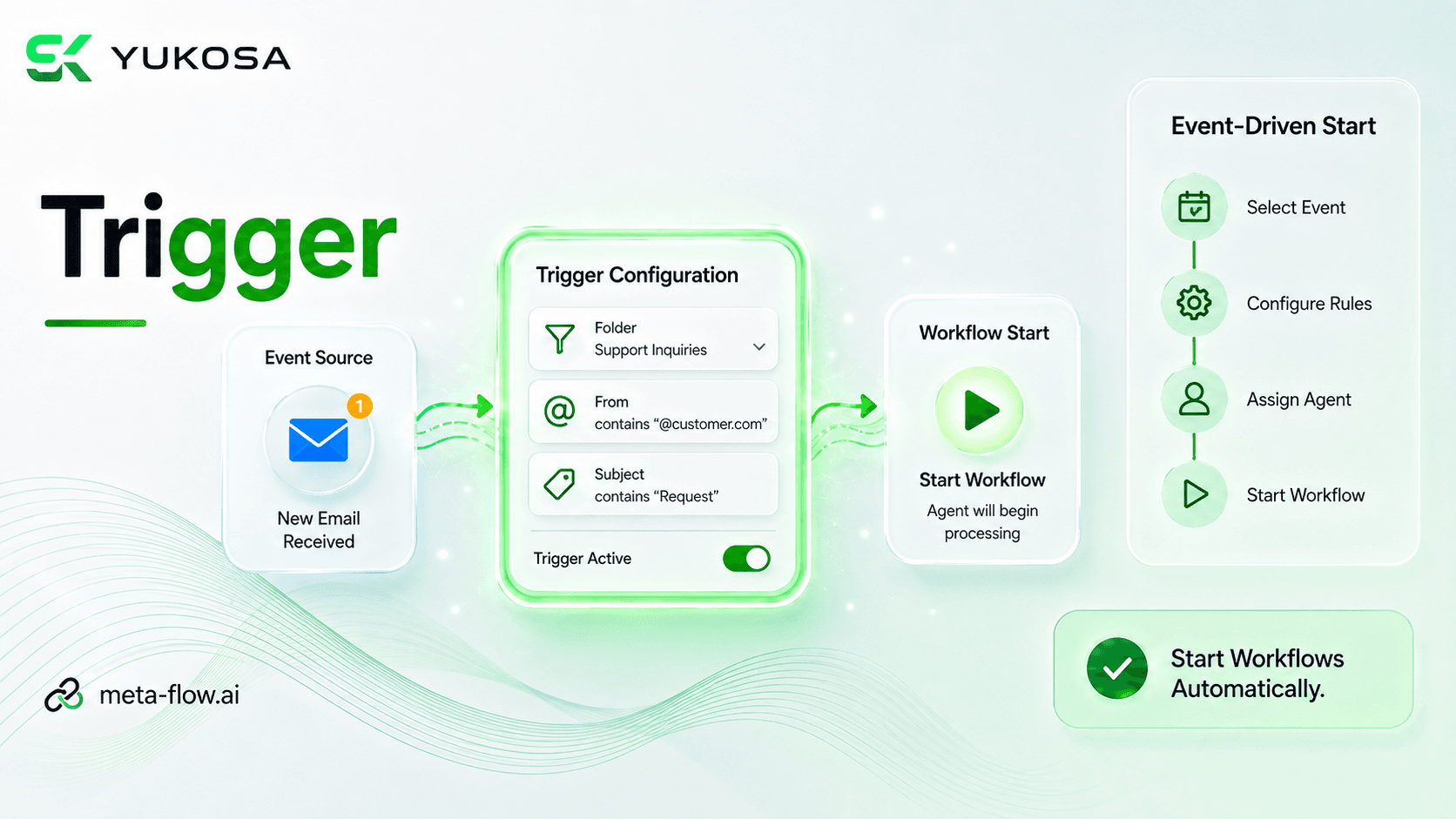
The Trigger feature in meta-flow.ai Hub enables workflows to start automatically when a specific event occurs. Users can configure the trigger type, connection, event, project, process, and assigned agent based on their automation requirements. Execution settings such as priority and conditions can be configured to control when and how the process is initiated. This enables event-driven automation, eliminating the need for manual workflow execution and ensuring timely process execution.
Who should watch: Automation administrators who need workflows to start automatically in response to real-world events.
Key topics covered in this video:
Video Metadata
Starts a workflow automatically the moment a specific event occurs.
Set the trigger type, connection, and the event that should start the process.
Choose which project, process, and agent the trigger should run.
Control priority and conditions that govern when the process fires.
Replace manual workflow execution with automatic, event-based starts.
Use Trigger anywhere a workflow needs to react to an event in real time.
Connect core modules with deep neural loops to handle background updates, ticket routing, and instant administrative escalations.
Learn MoreSee how meta-flow.ai can transform your specific workflows. Schedule a 1-on-1 session with our product experts.
