Build workflows. Connect systems. Add AI where it matters.
meta-flow.ai takes a process from visual design through configuration, triggering, orchestration and intelligent execution.
The Workflow Lifecycle
From process design to intelligent execution — seven steps from building a workflow to running and improving it.

Design
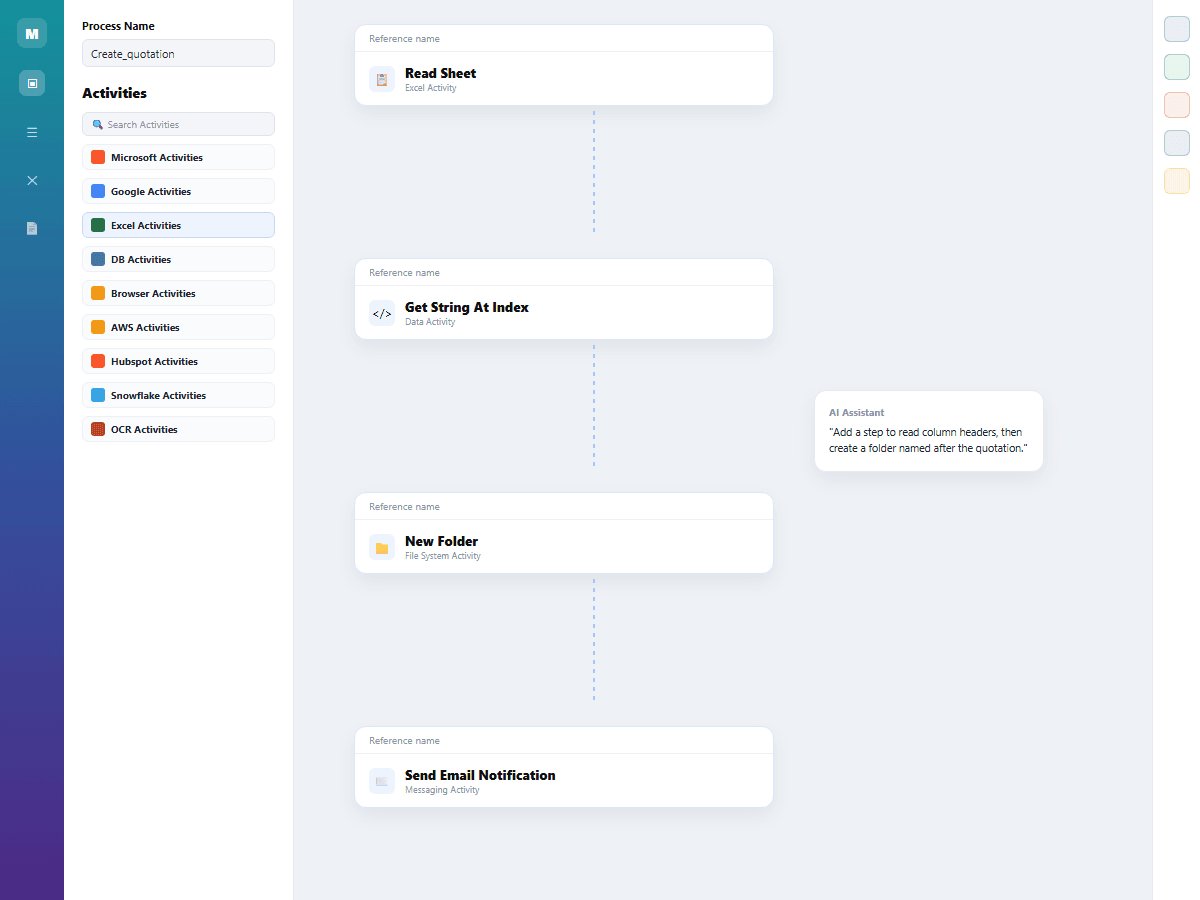
Map your process visually in Design Studio using reusable activities and the meta-flow.ai AI Assistant to accelerate workflow creation.
- Design workflows visually using a drag-and-drop canvas.
- Build process steps using reusable activities.
- Use AI assistance to accelerate workflow creation and refinement.

Configure
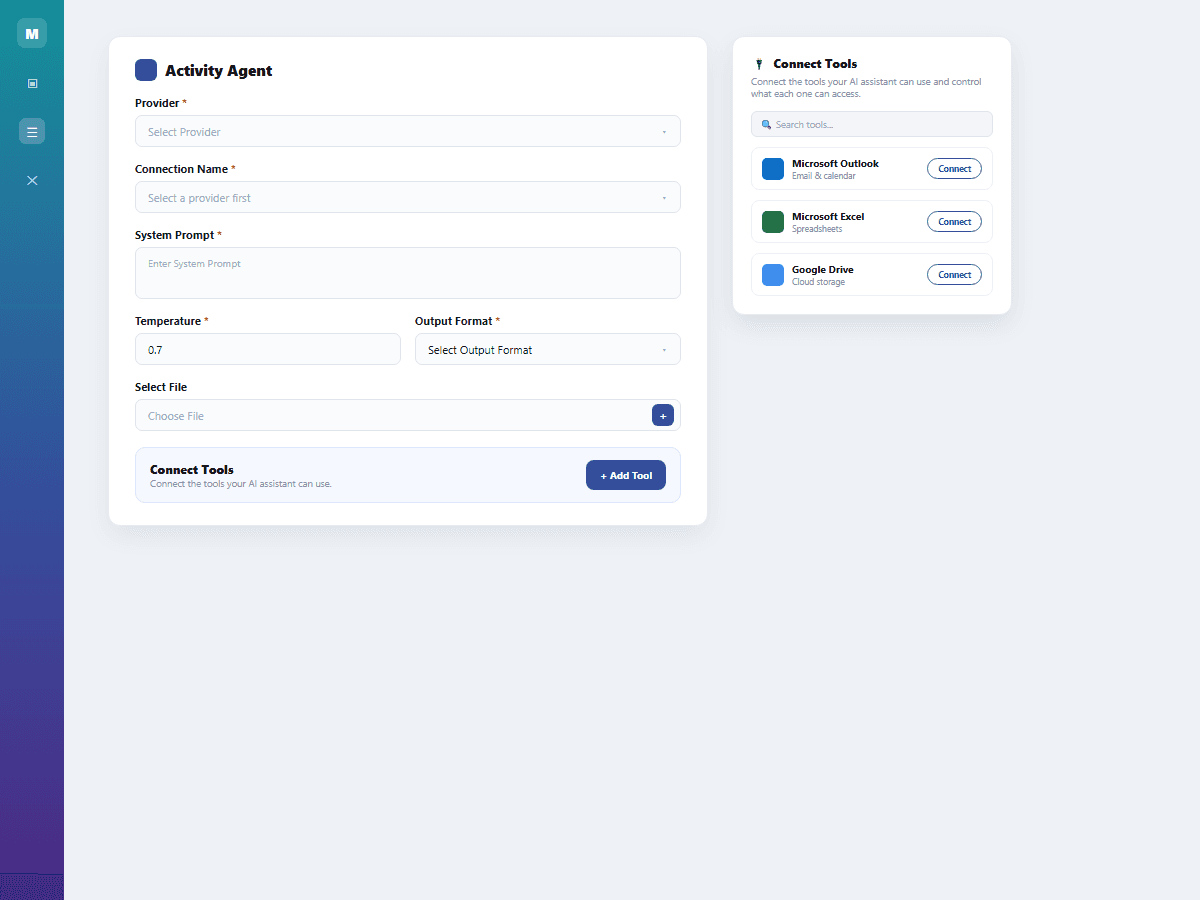
Configure the activities, connectors, business rules, approvals, and document-processing steps required to build a complete business workflow.
- Configure reusable activities and application connectors.
- Define business rules and approval steps.
- Add document-processing capabilities to workflows.

Trigger
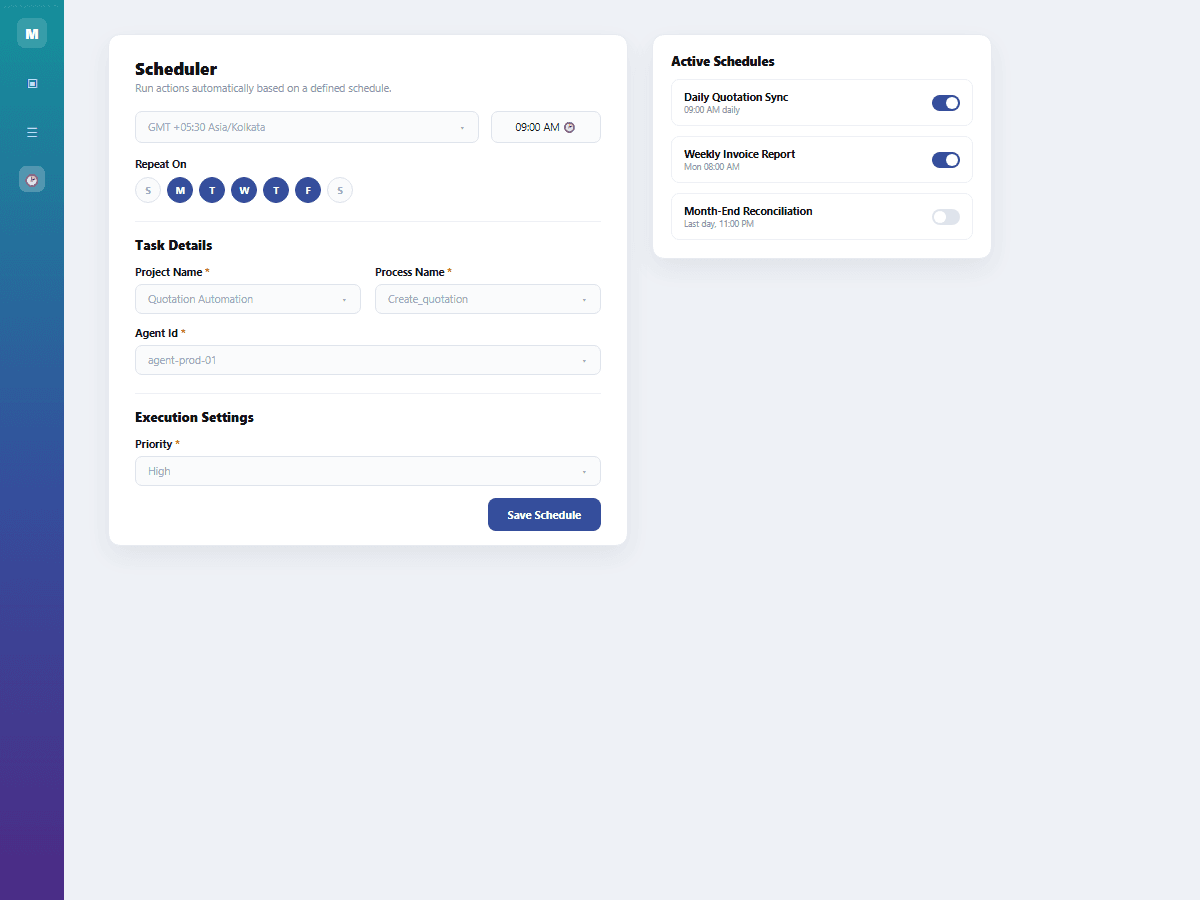
Start workflows automatically through configured events or schedules, enabling processes to run without manual initiation.
- Configure event-based workflow triggers.
- Schedule recurring workflow executions.
- Automate process initiation without manual intervention.
Orchestrate
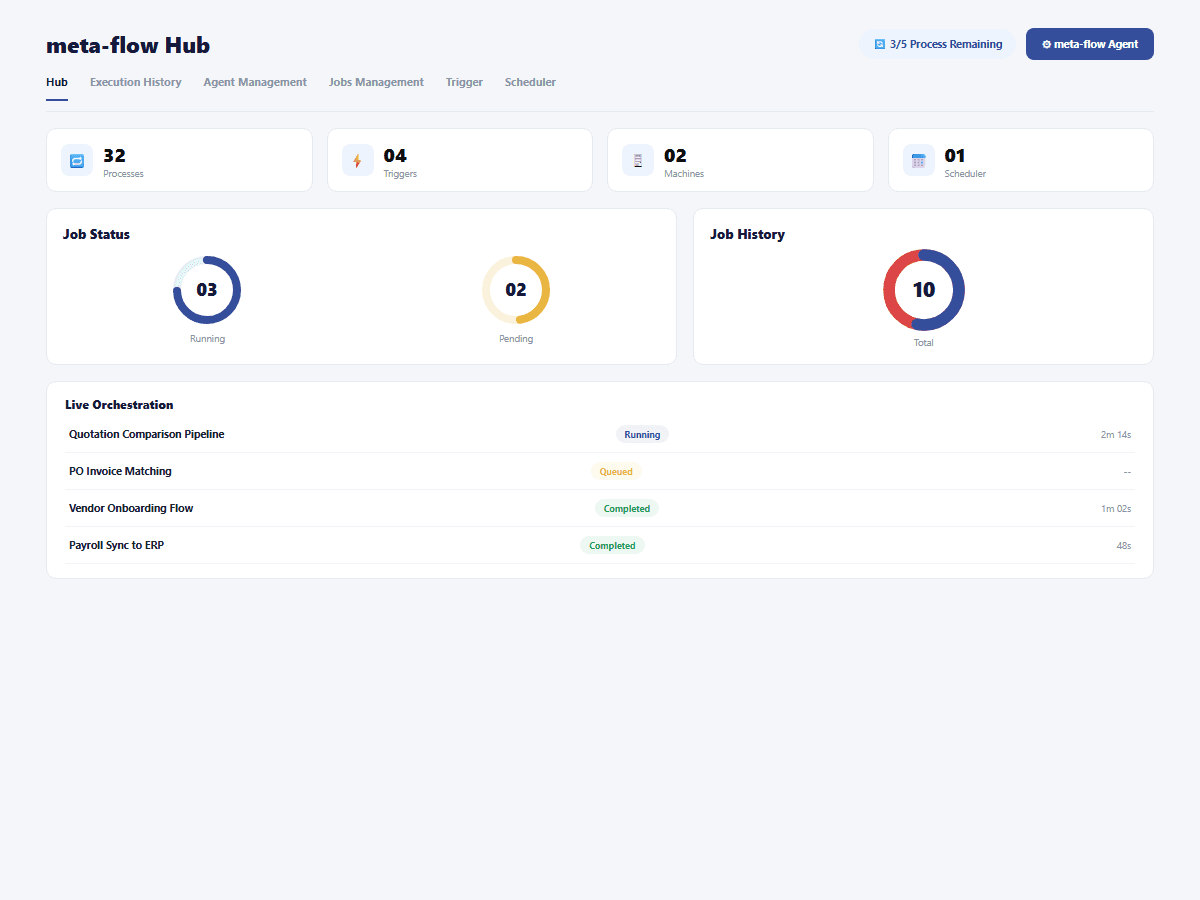
Coordinate multiple activities and workflow steps through Hub and orchestration capabilities to manage end-to-end business processes.
- Coordinate multi-step workflow activities.
- Manage workflows centrally through Hub.
- Orchestrate end-to-end business processes from one platform.

Add AI
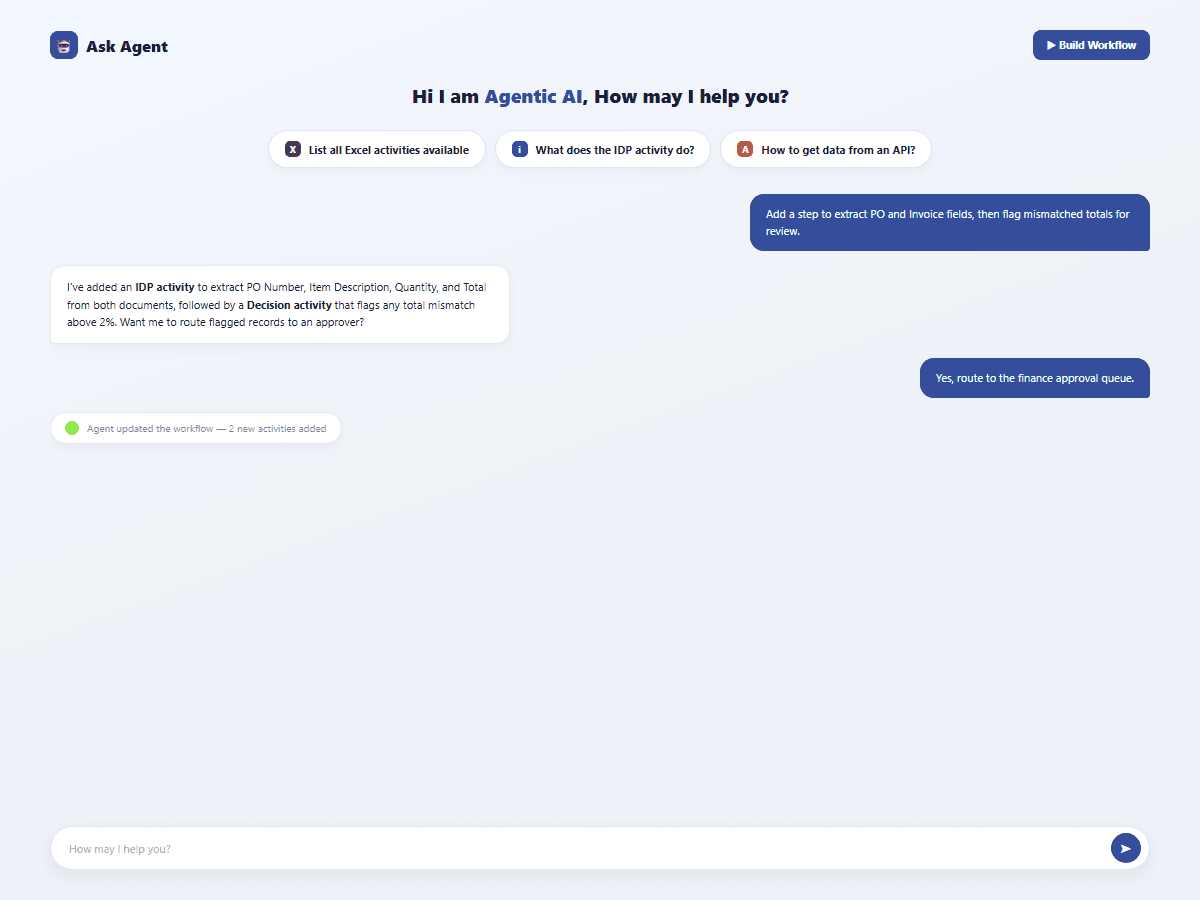
Add an AI Agent as a workflow activity when a process step requires reasoning, interpretation, or flexible handling of unstructured information.
- Add AI Agents directly into workflow steps.
- Handle reasoning and interpretation-based tasks.
- Process complex and unstructured information intelligently.

Execute
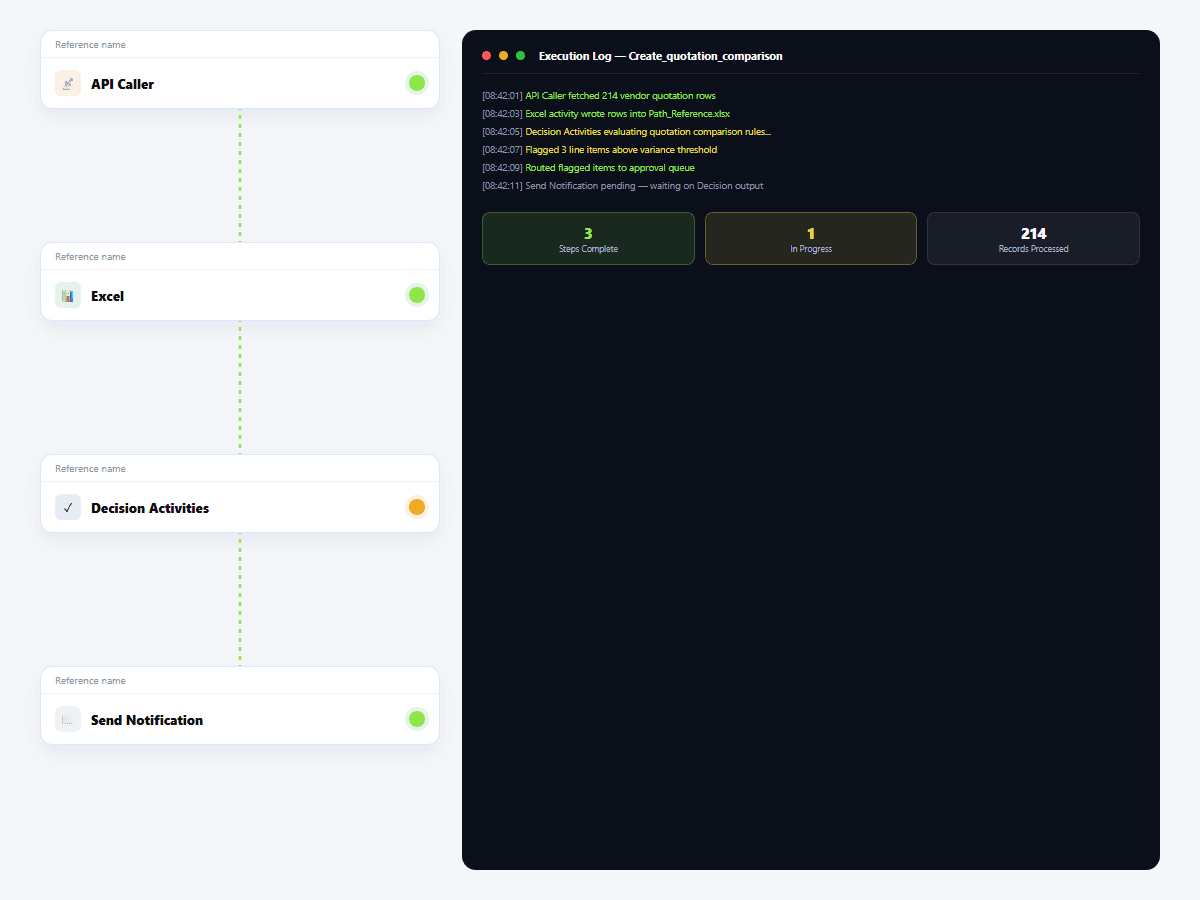
Run workflows across connected applications and systems, combining reusable activities, integrations, business logic, and AI-powered capabilities.
- Execute workflows across connected business applications.
- Automate multi-step processes from start to finish.
- Combine integrations, business logic, and AI in execution.
Monitor & Improve
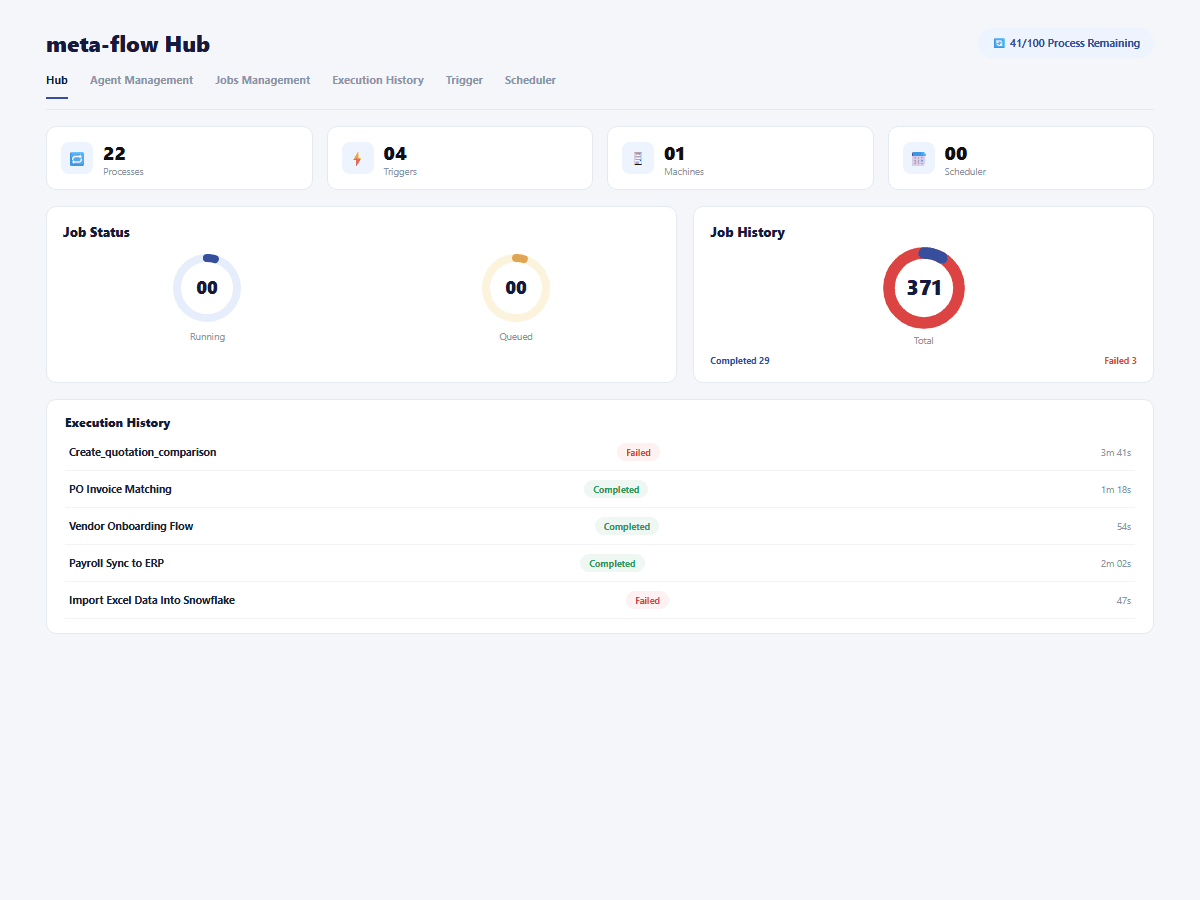
Review workflow execution and continuously refine processes as business requirements evolve, ensuring automation remains effective over time.
- Review workflow execution and process performance.
- Identify opportunities to refine and improve workflows.
- Adapt automation as business requirements change.
A connected architecture for intelligent workflows
Bring application inputs, workflow activities, documents, business logic and AI-driven steps together in one execution path.
Data & Applications
Connect information from web applications, enterprise applications, databases, documents, and APIs.
- Web & Enterprise Applications
- Databases & Documents
- APIs & Connected Systems
Workflow Layer
Define process execution using reusable activities, business rules, approvals, triggers, and schedules.
- Activities & Business Rules
- Approvals & Triggers
- Schedules & Process Logic
Intelligence Layer
Apply intelligent document processing and AI capabilities wherever workflows require interpretation or reasoning.
- Intelligent Document Processing
- AI-Powered Interpretation
- Reasoning & Decision Support
Agent Layer
Insert AI agents directly into workflows to handle complex, flexible, and unstructured process steps.
- AI Agents as Activities
- Complex Process Handling
- Unstructured Information
Orchestration Layer
Coordinate workflow execution and manage automation centrally through Hub and orchestration capabilities.
- Workflow Orchestration
- Centralized Automation
- Execution Management
Results That Matter

Less manual effort and fewer hand-offs.

Faster, more consistent process execution.

Greater operational visibility and control.